
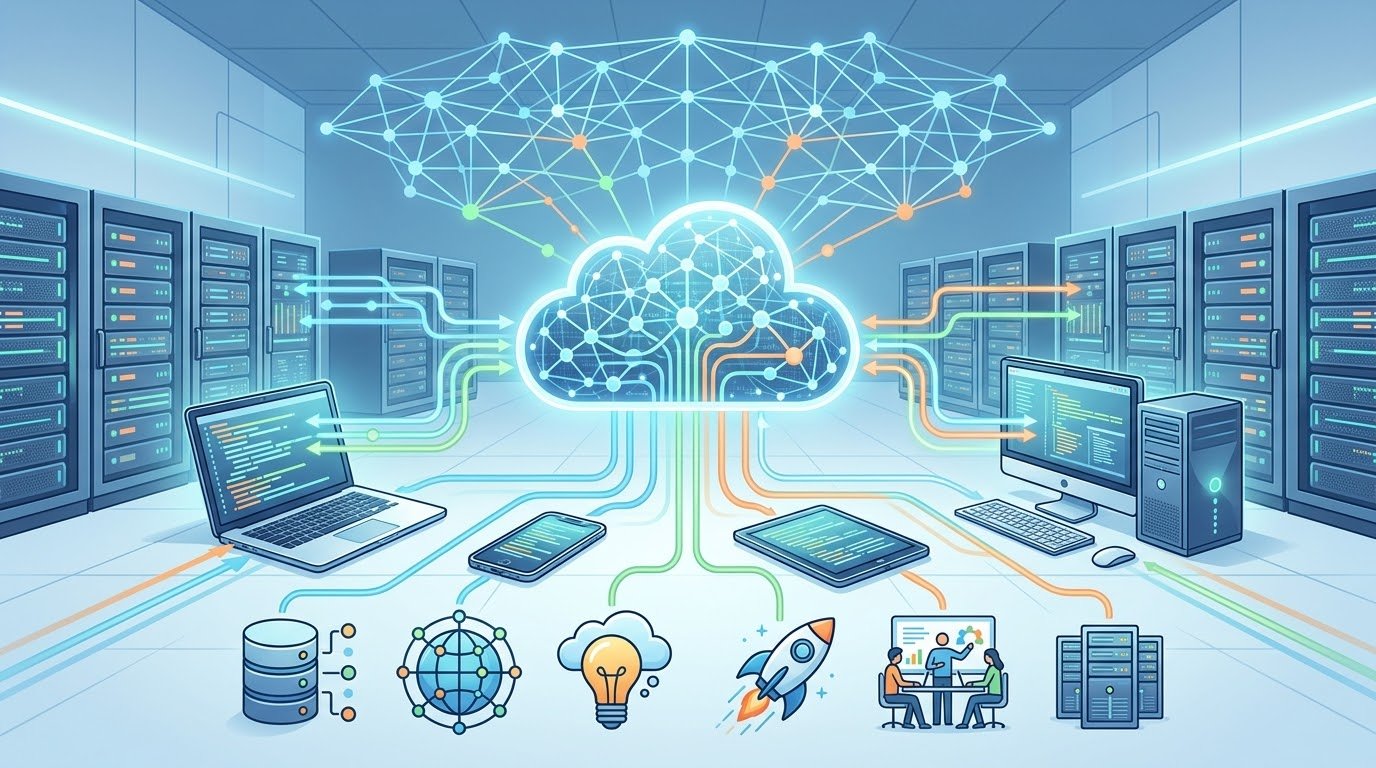
Cloud computing has become one of the most important technologies behind the modern internet. Every day, millions of people use cloud services without even realizing it.
When you store photos online, stream a movie, use web-based email, edit a document in your browser, play an online game, or access a website, there is a good chance that cloud computing is involved.
The cloud has changed how individuals, businesses, developers, schools, governments, and organizations use computers and store information. Instead of depending entirely on physical computers located in your home or office, cloud computing allows you to access computing resources through the internet.
But what exactly is the cloud?
How does cloud computing work?
Why do companies use it?
What are the advantages and disadvantages?
And what will cloud technology look like in the future?
This complete guide explains cloud computing in simple language and explores why it has become such an important part of modern technology.
☁️ What Is Cloud Computing?
Cloud computing means using computing resources over the internet instead of relying only on your own physical hardware.
These resources can include:
- 💾 Storage
- 🖥️ Servers
- ⚙️ Processing power
- 🗄️ Databases
- 🌐 Networking
- 🔐 Security services
- 🤖 Artificial intelligence
- 📊 Data analytics
- 🧑💻 Software applications
Instead of purchasing and maintaining all of this hardware yourself, you can access computing resources from a cloud provider.
For example, imagine that you need a powerful computer to run a demanding application.
You could purchase an expensive computer, maintain it, upgrade it, provide electricity, and replace it when it becomes outdated.
Or you could use a cloud service that provides the computing power remotely.
The second approach is one of the fundamental ideas behind cloud computing.
🌍 Why Is It Called “The Cloud”?
The word “cloud” is simply a convenient way of describing remote computing infrastructure.
The servers are not actually floating somewhere in the sky.
Cloud providers operate enormous data centers containing thousands or even millions of computers.
These data centers are connected to high-speed networks and provide computing resources to users around the world.
When you use a cloud service, your device communicates with these remote systems through the internet.
🏢 Where Does the Cloud Actually Exist?
The cloud exists inside physical data centers.
A data center can contain:
- Servers
- Storage systems
- Network equipment
- Cooling systems
- Backup power
- Security systems
- Monitoring equipment
Large cloud providers operate data centers in multiple geographic regions.
This allows them to provide reliable services and distribute workloads across different locations.
If one location experiences a problem, systems can sometimes move workloads or services to another location.
This is one reason cloud infrastructure can be highly resilient.
💻 How Does Cloud Computing Work?
The basic process is relatively simple.
Imagine that you open a cloud-based application on your smartphone.
Your phone sends a request through the internet.
That request reaches the cloud provider’s infrastructure.
The cloud system processes the request using servers, databases, storage, and other resources.
The result is then sent back to your device.
From the user’s perspective, everything may happen within seconds.
You don’t need to know which physical server processed your request.
This abstraction is one of the major benefits of cloud computing.
🖥️ Cloud Servers
Servers are one of the most important components of cloud computing.
A server is essentially a computer designed to provide resources or services to other computers.
Cloud providers operate large numbers of servers.
Instead of giving every customer an entire physical server, cloud platforms can divide physical resources into virtual environments.
This allows many customers to use the same physical infrastructure while keeping their environments logically separated.
🧩 Virtualization
Virtualization is a major technology behind cloud computing.
It allows a single physical computer to run multiple virtual machines.
For example, a powerful physical server might run several virtual servers.
Each virtual machine can have its own:
- Operating system
- Applications
- Storage
- Memory allocation
- Processing resources
Virtualization allows cloud providers to use physical hardware efficiently.
It also makes it easier to create, modify, move, and remove computing environments.
☁️ Three Main Types of Cloud Services
Cloud computing is often divided into three major service models:
- Infrastructure as a Service
- Platform as a Service
- Software as a Service
Let’s understand each one.
🏗️ Infrastructure as a Service — IaaS
Infrastructure as a Service, commonly called IaaS, provides basic computing infrastructure.
This can include:
- Virtual machines
- Storage
- Networking
- Firewalls
- Load balancers
- Operating environments
With IaaS, customers have significant control over their computing environment.
It is commonly used by developers, system administrators, startups, and businesses that need customized infrastructure.
Instead of buying physical servers, a company can rent virtual servers from a cloud provider.
🧑💻 Platform as a Service — PaaS
Platform as a Service provides a development environment that allows developers to build and deploy applications without managing every part of the underlying infrastructure.
The cloud provider handles many infrastructure responsibilities.
Developers can focus more on:
- Writing code
- Testing applications
- Building features
- Deploying software
PaaS can make application development faster and simpler.
📱 Software as a Service — SaaS
Software as a Service is the cloud model most ordinary users interact with.
With SaaS, you use software through the internet without installing and managing the underlying infrastructure yourself.
Examples include:
- Online email
- Cloud document editors
- Project management applications
- Online accounting software
- Customer relationship systems
- Web-based design tools
The provider handles the infrastructure, software updates, maintenance, and much of the technical management.
🌐 Public Cloud
A public cloud is cloud infrastructure provided to many customers.
The underlying physical infrastructure is owned and operated by a cloud provider.
Customers share the provider’s overall infrastructure while their resources and data remain logically separated.
Public cloud services are popular because businesses can access powerful infrastructure without building their own data centers.
🏢 Private Cloud
A private cloud is designed for the exclusive use of a particular organization.
It can provide greater control over infrastructure and configuration.
Private cloud environments may be used when an organization has specific security, compliance, performance, or operational requirements.
However, private cloud infrastructure can require more management and investment.
🔄 Hybrid Cloud
A hybrid cloud combines private and public cloud environments.
For example, a company might keep sensitive systems in a private environment while using public cloud services for less sensitive workloads.
Hybrid cloud strategies can provide flexibility.
Organizations can decide where different applications and data should operate.
🌎 Multi-Cloud
Multi-cloud means using services from multiple cloud providers.
A company might use one provider for databases, another for specialized AI services, and another for certain applications.
This approach can provide flexibility, but it can also increase complexity.
Managing multiple platforms requires additional knowledge, monitoring, security controls, and operational processes.
💾 Cloud Storage
One of the most familiar cloud services is cloud storage.
Cloud storage allows users to save files on remote servers and access them through the internet.
Files can include:
- 📷 Photos
- 🎥 Videos
- 📄 Documents
- 🎵 Music
- 📊 Spreadsheets
- 🗃️ Backups
One major advantage is accessibility.
You can potentially access your files from:
- Smartphone
- Laptop
- Tablet
- Desktop computer
As long as you have the appropriate account and internet access.
🔄 Automatic Synchronization
Cloud storage can also synchronize files across devices.
For example, if you edit a document on your laptop, the updated version can become available on your phone.
This eliminates the need to manually copy files between devices.
Synchronization has become an important part of modern digital workflows.
📸 Cloud Photo Storage
Many people use cloud technology primarily for photos.
Instead of keeping every photograph only on a phone, users can back up their images to remote storage.
This can protect against data loss if a device is:
- Lost
- Stolen
- Damaged
- Reset
- Replaced
However, cloud backups should not always be treated as the only copy of important information.
Maintaining additional backups can provide extra protection.
⚡ Cloud Computing and Performance
Cloud computing can provide enormous amounts of processing power.
A small business that cannot afford a large data center can rent computing resources as needed.
If demand increases, the business may be able to add more resources.
If demand decreases, it can reduce usage.
This flexibility is one of the most important advantages of cloud computing.
📈 Scalability
Scalability means the ability to increase or decrease resources according to demand.
Imagine that you run a website.
On a normal day, your website receives 10,000 visitors.
Suddenly, an article becomes viral and traffic increases dramatically.
A traditional server may struggle under the sudden load.
Cloud infrastructure can allow websites and applications to add resources or distribute traffic across multiple servers.
This can help organizations handle unexpected demand.
⚙️ Automatic Scaling
Some cloud platforms can automatically adjust resources based on predefined rules.
For example:
- Traffic increases → add resources
- Traffic decreases → reduce resources
- CPU usage becomes high → start additional instances
- Demand falls → shut down unnecessary instances
Automatic scaling can improve efficiency and reduce manual management.
💰 Cost Savings
Cloud computing can reduce the need for organizations to purchase large amounts of hardware.
Traditional infrastructure often requires significant upfront investment.
Businesses may need to purchase:
- Servers
- Storage
- Network equipment
- Cooling systems
- Backup power
- Physical space
Cloud computing changes this model.
Instead of purchasing everything upfront, organizations can often pay for the resources they use.
This can be especially useful for startups and small businesses.
💳 Pay-As-You-Go Computing
Many cloud services follow a usage-based pricing model.
You may pay according to factors such as:
- Storage capacity
- Processing time
- Network usage
- Number of requests
- Database usage
This means a business can start small and increase spending as it grows.
However, cloud bills can also become unexpectedly expensive if resources are poorly managed.
⚠️ Cloud Cost Management
Cloud computing does not automatically mean low costs.
Organizations can waste money by leaving unnecessary resources running.
Common causes of unexpected cloud expenses include:
- Unused servers
- Excessive storage
- Uncontrolled data transfer
- Overprovisioned resources
- Poorly configured applications
- Forgotten development environments
Cloud cost management is therefore becoming an important technical skill.
🔐 Cloud Security
Security is one of the biggest concerns surrounding cloud computing.
Cloud providers invest heavily in security infrastructure, but customers still have responsibilities.
Cloud security can involve:
- Encryption
- Identity management
- Access controls
- Firewalls
- Monitoring
- Authentication
- Security logging
- Backup systems
Security is often described as a shared responsibility.
The provider secures the underlying infrastructure, while customers are responsible for correctly configuring and protecting their own resources.
🔑 Identity and Access Management
One of the most important parts of cloud security is controlling who can access what.
Organizations should use strong identity management practices.
These can include:
- Strong passwords
- Multi-factor authentication
- Role-based permissions
- Least-privilege access
- Regular access reviews
Users should only receive the permissions they actually need.
If every employee has access to everything, a compromised account could cause much greater damage.
🔒 Encryption
Encryption converts information into a form that is difficult to understand without the correct key.
Cloud environments can use encryption to protect data:
- While stored
- While being transferred
- During certain processing operations
Encryption can reduce the risk of sensitive information being exposed.
However, encryption must be implemented correctly.
🛡️ Cloud Backups
Cloud computing can also improve backup strategies.
Organizations can automatically back up:
- Databases
- Files
- Application data
- Virtual machines
- Configuration information
A good backup strategy should consider how quickly data needs to be restored and how long different backups should be retained.
🌐 Cloud Computing and Websites
Modern websites frequently rely on cloud infrastructure.
A website may use cloud services for:
- Web hosting
- Databases
- Images
- Video
- Content delivery
- Security
- Analytics
- Backups
This allows websites to scale as traffic grows.
For a technology website, for example, cloud infrastructure can help deliver articles quickly to visitors around the world.
🚀 Content Delivery Networks
A Content Delivery Network, or CDN, is a distributed network of servers that can deliver content from locations closer to users.
Suppose a website’s main server is located far away from a visitor.
A CDN can store copies of certain static content at geographically distributed locations.
When the visitor requests an image or webpage resource, it can potentially be delivered from a nearby server.
This can reduce latency and improve performance.
🎬 Cloud Computing and Streaming
Streaming services rely heavily on cloud infrastructure.
When you watch a movie or listen to music online, large amounts of data must be delivered efficiently.
Cloud systems can help with:
- Storage
- Video processing
- Content delivery
- User authentication
- Recommendations
- Traffic management
Without large-scale computing infrastructure, modern streaming platforms would be much more difficult to operate.
🎮 Cloud Gaming
Cloud gaming takes the concept even further.
Instead of running a game entirely on your local device, powerful servers can perform much of the processing remotely.
The game output is streamed to your device.
Your inputs are sent back to the server.
This could allow users to play demanding games on devices that do not have powerful gaming hardware.
However, cloud gaming depends heavily on fast and reliable internet connections.
Latency can significantly affect the gaming experience.
🤖 Cloud Computing and Artificial Intelligence
Artificial intelligence has created enormous demand for computing power.
Training advanced AI systems can require large numbers of powerful processors.
Cloud platforms provide access to computing infrastructure that organizations can use without building their own massive data centers.
Cloud AI services can provide:
- Machine learning
- Generative AI
- Image recognition
- Speech recognition
- Natural language processing
- Data analysis
This has made advanced AI technologies more accessible to businesses and developers.
🧠 Cloud AI vs On-Device AI
AI can be processed in the cloud or directly on a device.
Cloud AI
Advantages include:
- Access to powerful hardware
- Large-scale processing
- Easier centralized updates
- Ability to handle complex workloads
On-Device AI
Advantages include:
- Lower latency
- Potentially better privacy
- Reduced dependence on internet connectivity
- Local processing
Future technology will likely use a combination of both approaches.
🏥 Cloud Computing in Healthcare
Healthcare organizations can use cloud technology for:
- Data storage
- Medical applications
- Research
- Collaboration
- Analytics
- Remote services
Cloud infrastructure can help organizations process large datasets and make information accessible to authorized users.
However, healthcare data is highly sensitive, so strong security and regulatory compliance are essential.
🏦 Cloud Computing in Banking
Banks and financial organizations also use cloud technologies for various workloads.
Cloud systems can support:
- Online banking
- Fraud detection
- Data analytics
- Customer services
- Mobile applications
- Transaction processing
Security is especially important because financial systems handle extremely sensitive information.
🛒 Cloud Computing in E-Commerce
Online stores can use cloud infrastructure to handle changing demand.
During normal periods, an online store may need moderate resources.
During major shopping events, traffic can increase dramatically.
Cloud scalability allows businesses to respond to these changes without necessarily maintaining massive infrastructure all year.
👨💻 Cloud Computing for Developers
Cloud services have dramatically changed software development.
Developers can quickly create:
- Virtual servers
- Databases
- Testing environments
- Application platforms
- AI systems
- Storage systems
Instead of waiting days or weeks for physical infrastructure, development teams can often create resources much faster.
This can accelerate innovation.
🔄 DevOps and Cloud Computing
Cloud computing works closely with modern software development practices such as DevOps.
DevOps combines development and operations processes to improve software delivery.
Cloud environments can support:
- Automated testing
- Continuous integration
- Continuous deployment
- Infrastructure automation
- Monitoring
- Logging
This allows development teams to release software more frequently.
🧰 Serverless Computing
Serverless computing is another important cloud technology.
Despite its name, servers still exist.
The difference is that developers do not have to manage the underlying servers directly.
They can deploy small pieces of application logic that run when triggered.
For example, a function might execute when:
- A user uploads a file
- A database changes
- An API receives a request
- A scheduled event occurs
This can simplify certain applications and reduce infrastructure management.
🌱 Cloud Computing and Sustainability
Large data centers consume significant amounts of electricity.
Cloud providers therefore have strong incentives to improve energy efficiency.
Potential improvements include:
- More efficient hardware
- Better cooling
- Renewable energy
- Improved server utilization
- Intelligent workload management
Cloud infrastructure can sometimes be more efficient than many organizations operating small, underutilized data centers independently.
However, the environmental impact of cloud computing remains an important issue.
⚠️ Disadvantages of Cloud Computing
Cloud computing has many benefits, but it also has limitations.
🌐 Internet Dependence
Many cloud services require reliable internet access.
If your connection fails, access to cloud-based resources may become limited.
🔐 Security Risks
Misconfigured cloud environments can expose sensitive information.
💰 Unexpected Costs
Usage-based pricing can create large bills if resources are not monitored.
🏢 Provider Dependence
Organizations may become dependent on a particular cloud provider.
🔄 Migration Challenges
Moving large amounts of data and applications between cloud environments can be complicated.
⚙️ Technical Complexity
Large cloud environments can become difficult to manage.
🔗 Vendor Lock-In
Vendor lock-in happens when an organization becomes heavily dependent on one cloud provider.
For example, an application might use specialized services that are difficult to reproduce elsewhere.
Moving to another provider could require significant development work.
Organizations can reduce this risk through careful architecture and portability strategies.
🌐 The Future of Cloud Computing
Cloud computing will continue evolving.
Future cloud environments will likely become more:
- Intelligent
- Automated
- Distributed
- Secure
- Energy-efficient
- AI-focused
Artificial intelligence will increasingly influence how cloud resources are managed.
AI could automatically identify performance problems, optimize infrastructure, detect security threats, and reduce unnecessary resource usage.
📍 Edge Computing
Edge computing moves some processing closer to the user or device.
Instead of sending every piece of information to a distant data center, certain processing tasks can happen closer to where the data is generated.
This can reduce latency.
Edge computing could be especially important for:
- Autonomous vehicles
- Smart factories
- IoT devices
- Augmented reality
- Real-time applications
- Industrial systems
Cloud and edge computing are not necessarily competitors.
They can work together.
🌐 Cloud and the Internet of Things
The Internet of Things, or IoT, involves connected physical devices.
Examples include:
- Smart watches
- Security cameras
- Smart appliances
- Industrial sensors
- Connected vehicles
These devices generate enormous amounts of data.
Cloud infrastructure can store and analyze this information.
As the number of connected devices increases, cloud computing will become even more important.
🔮 What Will Cloud Computing Look Like in the Future?
The cloud may become increasingly invisible.
Users will not necessarily think about servers, storage, or infrastructure.
They will simply expect applications to work.
Behind the scenes, automated systems may continuously decide:
- Where workloads should run
- How much computing power is required
- Where data should be stored
- How traffic should be distributed
- Which resources can be shut down
- How potential threats should be handled
This will make cloud infrastructure more dynamic and intelligent.
📊 Key Benefits of Cloud Computing
The most important advantages include:
- ☁️ Access to computing resources over the internet
- 💰 Reduced upfront hardware costs
- 📈 Easy scalability
- ⚡ Rapid deployment
- 🌍 Global accessibility
- 🔄 Automatic updates
- 💾 Flexible storage
- 🤖 Access to advanced AI services
- 🛡️ Professional infrastructure and security capabilities
- 👨💻 Faster software development
❓ Frequently Asked Questions
1. What is cloud computing in simple words?
Cloud computing means using computing resources such as storage, servers, software, and processing power through the internet instead of relying entirely on your own physical hardware.
2. Is cloud computing the same as cloud storage?
No. Cloud storage is one type of cloud service. Cloud computing is a much broader concept that includes servers, databases, applications, networking, AI, storage, and many other resources.
3. Where is the cloud located?
The cloud operates through physical data centers containing servers, storage systems, networking equipment, power systems, and cooling infrastructure.
4. Is cloud computing safe?
Cloud computing can be highly secure, but security depends on proper configuration, access controls, encryption, monitoring, and responsible management.
5. What are the three main cloud service models?
The three commonly discussed models are Infrastructure as a Service, Platform as a Service, and Software as a Service.
6. What is public cloud?
A public cloud is infrastructure operated by a cloud provider and made available to multiple customers through isolated environments and services.
7. What is private cloud?
A private cloud is a cloud environment dedicated to a particular organization.
8. What is hybrid cloud?
Hybrid cloud combines private and public cloud environments.
9. Can small businesses use cloud computing?
Yes. Cloud services can be especially useful for small businesses because they can access computing resources without building and maintaining large physical infrastructure.
10. Is cloud computing expensive?
It depends on how resources are used. Cloud computing can reduce upfront costs, but poorly managed resources can result in unexpectedly high bills.
11. What is edge computing?
Edge computing processes some data closer to where it is generated instead of sending everything to a distant cloud data center.
12. Will cloud computing become more important?
Yes. As artificial intelligence, connected devices, online services, and digital businesses continue growing, demand for cloud infrastructure is expected to remain strong.
🚀 Conclusion
Cloud computing has fundamentally changed the way technology works.
Instead of requiring every organization to purchase and maintain its own servers, cloud platforms provide access to computing resources through the internet.
From websites and mobile applications to artificial intelligence, online banking, streaming services, e-commerce, gaming, and data analytics, cloud computing is now part of countless digital experiences.
Its biggest strengths are flexibility, scalability, accessibility, and speed.
Businesses can start small, increase resources when demand grows, and access powerful technologies without necessarily building massive physical infrastructure.
At the same time, organizations must carefully manage security, costs, privacy, reliability, and dependence on cloud providers.
The future of cloud computing will likely be even more intelligent and distributed. AI, edge computing, automation, next-generation networking, and increasingly efficient data centers will continue to transform cloud infrastructure.
The most important thing to understand is simple:
The cloud is not a magical place on the internet. It is a massive network of physical computers, data centers, software, and networks working together to provide computing resources whenever and wherever they are needed.
And as the digital world continues to expand, cloud computing will remain one of the technologies powering that transformation.