Building a website in 2026 is easier than ever. You no longer need to be an expert programmer or spend months learning complicated development technologies before launching a professional website.
With modern website builders, content management systems, artificial intelligence tools, cloud hosting, responsive design frameworks, and powerful plugins, almost anyone can create a website.
However, creating a good website is about more than simply putting some pages online.
A successful website should be:
- 🚀 Fast
- 📱 Mobile-friendly
- 🔐 Secure
- 🎨 Visually attractive
- 🧭 Easy to navigate
- 🔎 Search-engine friendly
- ♿ Accessible
- 📈 Scalable
- 🛠️ Easy to maintain
Whether you want to create a personal blog, business website, online store, portfolio, news platform, technology website, or professional service website, the basic principles remain similar.
In this complete guide, we will explain how to build a modern website in 2026, from choosing a domain name and hosting to designing pages, creating content, improving SEO, securing your website, and maintaining it over time.
🌐 What Is a Modern Website?
A modern website is more than a collection of web pages.
It is a digital platform that helps visitors find information, interact with content, purchase products, contact a business, read articles, or perform specific tasks.
A modern website usually includes:
- 🏠 Homepage
- 📄 About page
- 📞 Contact page
- 📝 Blog or content section
- 🔍 Search functionality
- 📱 Responsive design
- 🔐 HTTPS security
- ⚡ Fast loading
- 🧭 Clear navigation
- 🔎 SEO optimization
Depending on the purpose of the website, you may also need:
- Shopping functionality
- User accounts
- Booking systems
- Payment processing
- Membership features
- Forums
- Online courses
- Newsletter subscriptions
The first step is therefore to understand what you want the website to accomplish.
🎯 Step 1: Define Your Website’s Purpose
Before purchasing hosting or choosing a theme, determine the main purpose of your website.
Ask yourself:
Why am I creating this website?
Your answer will influence almost every decision you make later.
For example:
📰 Technology Blog
You may need:
- Article pages
- Categories
- Search
- Author information
- Related posts
- Newsletter signup
🏢 Business Website
You may need:
- Company information
- Services
- Contact forms
- Testimonials
- Location information
- Calls to action
🛒 Online Store
You may need:
- Product pages
- Shopping cart
- Checkout
- Payment methods
- Customer accounts
- Order management
👨💻 Portfolio
You may need:
- About section
- Projects
- Skills
- Resume
- Contact information
Having a clear purpose prevents unnecessary features from making your website complicated.
🔤 Step 2: Choose a Domain Name
Your domain name is your website’s address on the internet.
A good domain name should be:
- Easy to remember
- Easy to spell
- Short when possible
- Relevant to your brand
- Easy to pronounce
- Professional
For example, if you are creating a technology publication, a domain containing a memorable technology-related brand name can be useful.
Avoid unnecessarily complicated domain names with:
- Many numbers
- Excessive hyphens
- Difficult spellings
- Very long words
Your domain is part of your brand, so choose carefully.
🏠 Step 3: Choose Reliable Web Hosting
After selecting a domain, you need web hosting.
Web hosting provides the infrastructure required to make your website available online.
Hosting can provide:
- Server resources
- Storage
- Databases
- Email services
- Security features
- Backup systems
- SSL/HTTPS support
Different websites require different amounts of hosting resources.
A small personal blog may require relatively little.
A large website with thousands of visitors may require considerably more infrastructure.
☁️ Types of Web Hosting
Common hosting types include:
Shared Hosting
Multiple websites share resources on the same server.
It is often suitable for beginners and smaller websites.
VPS Hosting
A Virtual Private Server provides more dedicated resources and control.
It can be useful for growing websites and applications.
Cloud Hosting
Cloud hosting distributes infrastructure across cloud systems.
It can provide scalability and flexibility.
Dedicated Hosting
A dedicated server provides an entire physical server for one customer.
It is generally used for larger or specialized workloads.
For many beginners, starting with a reliable shared or managed hosting service is sufficient.
🔒 Step 4: Enable HTTPS
Security is essential for every modern website.
HTTPS encrypts communication between visitors and your website.
A website using HTTPS typically displays a padlock or secure indicator in modern browsers.
HTTPS is important because websites often handle information such as:
- Login details
- Contact forms
- Personal information
- Payment information
Even websites that do not collect sensitive information should use HTTPS.
Modern hosting providers often offer SSL certificates as part of their hosting services.
🛠️ Step 5: Choose How You Will Build Your Website
There are several ways to create a website.
👨💻 Custom Development
You can build a website using technologies such as:
- HTML
- CSS
- JavaScript
- PHP
- Python
- Databases
- Modern frameworks
This approach provides significant control but requires technical knowledge.
🧩 Content Management Systems
A Content Management System, or CMS, allows users to create and manage websites without writing every component from scratch.
WordPress is one of the most widely used examples.
A CMS can provide:
- Page management
- Blogging
- Themes
- Plugins
- Media management
- User accounts
- SEO tools
🤖 AI-Assisted Website Creation
AI tools are increasingly useful for website development.
They can help with:
- Writing content
- Generating code
- Creating layouts
- Debugging
- Producing images
- Creating product descriptions
- Generating SEO ideas
However, AI-generated content and code should always be reviewed before publishing.
🎨 Step 6: Select a Website Design
Your website design should match its purpose.
A technology website may benefit from a modern, clean interface.
A photography portfolio may prioritize large images.
An online store may prioritize products and shopping navigation.
Good design usually focuses on clarity rather than unnecessary decoration.
Important design elements include:
- Typography
- Spacing
- Navigation
- Images
- Buttons
- Color choices
- Page structure
- Content hierarchy
📱 Mobile-First Design
A large percentage of web traffic comes from mobile devices.
Therefore, your website should work properly on:
- Smartphones
- Tablets
- Laptops
- Desktop computers
A responsive website automatically adjusts its layout according to screen size.
For example, a three-column desktop layout might become a single-column layout on a smartphone.
Always test your website on multiple screen sizes.
🧭 Step 7: Create Clear Navigation
Visitors should be able to understand your website quickly.
Your main navigation should contain the most important sections.
For example, a technology website might use:
- Home
- Technology
- AI
- Cybersecurity
- Smartphones
- Cloud Computing
- Reviews
- About
- Contact
Do not overload the navigation menu with dozens of items.
Group related content into categories.
🏠 Step 8: Build a Strong Homepage
The homepage is often the first page visitors see.
A good homepage should quickly communicate:
Who are you?
What does your website provide?
Why should visitors stay?
A technology website could include:
Featured Content
Highlight your most important or newest articles.
Categories
Help visitors discover different areas of technology.
Latest Posts
Display recently published articles.
Popular Content
Show articles that are receiving significant interest.
Newsletter
Allow readers to subscribe for updates.
About Section
Briefly explain what the website is about.
📝 Step 9: Create High-Quality Content
Content is one of the most important parts of a website.
A beautiful website with poor content will struggle to retain visitors.
High-quality content should be:
- Useful
- Accurate
- Original
- Easy to understand
- Well organized
- Updated when necessary
For a technology website, content could include:
- Tutorials
- Guides
- Reviews
- News
- Comparisons
- Explanations
- Industry analysis
- Technology trends
✍️ Write for Humans First
Search engines are important, but your primary audience is human readers.
Avoid writing articles simply to insert keywords repeatedly.
Instead, answer real questions.
For example, instead of creating an article filled with the phrase “best cloud computing technology,” write a useful guide explaining:
- What cloud computing is
- How it works
- Different types
- Benefits
- Risks
- Practical examples
Useful content has a better chance of attracting and retaining readers.
🧱 Step 10: Use Proper Heading Structure
Headings help both visitors and search engines understand your content.
A typical article structure might look like:
Main Article Title
Introduction
What Is the Topic?
Important Concept
Another Concept
Benefits
Problems
How to Get Started
Frequently Asked Questions
Conclusion
Use headings logically rather than choosing heading levels simply because they look larger.
🖼️ Step 11: Optimize Images
Images can make websites more engaging, but large image files can slow down pages.
Before uploading images:
- Resize them appropriately
- Compress them
- Use modern image formats when appropriate
- Give files descriptive names
- Add useful alternative text
For example, instead of:
IMG_1234.jpg
use something descriptive such as:
future-smartphone-display.jpg
The exact filename is not a substitute for good content, but organization helps.
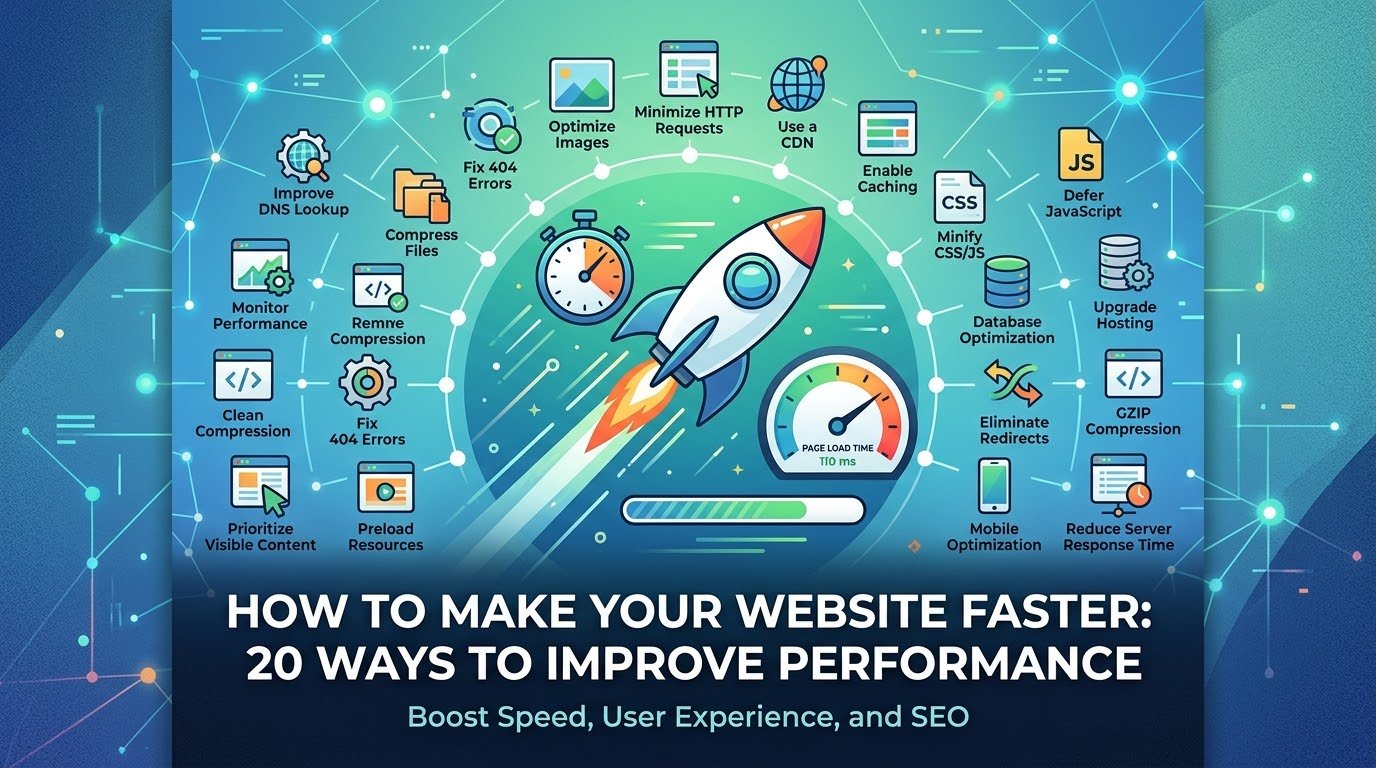
⚡ Step 12: Improve Website Speed
Website speed matters.
Slow websites can frustrate visitors and increase the likelihood that they leave.
Common causes of slow websites include:
- Large images
- Too many plugins
- Poor hosting
- Unoptimized code
- Excessive scripts
- Unnecessary animations
- Poor caching
- Too many external resources
Ways to Improve Speed
- Compress images
- Enable caching
- Minimize unnecessary scripts
- Use a CDN when appropriate
- Keep plugins under control
- Optimize databases
- Choose good hosting
- Remove unused website components
🚀 Core Web Performance
Modern website performance is not simply about how quickly the page appears.
It also involves how quickly the page becomes usable and visually stable.
Important performance concepts include:
- Loading performance
- Responsiveness
- Visual stability
A website should load important content quickly, respond smoothly to user interactions, and avoid unexpected layout movement.
🔎 Step 13: Learn Search Engine Optimization
Search Engine Optimization, commonly known as SEO, helps search engines understand your website and can improve its visibility in search results.
SEO includes many areas.
On-Page SEO
This involves:
- Page titles
- Headings
- Content
- Internal links
- Images
- URLs
Technical SEO
This includes:
- Website speed
- Mobile usability
- Crawlability
- Indexing
- Structured data
- HTTPS
- Site architecture
Off-Page SEO
This can include references and links from other websites.
However, SEO should not be treated as a collection of tricks.
The goal should be to create a website that provides genuine value.
🏷️ Step 14: Create Useful Page Titles
Every important page should have a clear title.
For example:
How Cloud Computing Works: Complete Beginner’s Guide
is more useful than:
Page 5
A good title tells visitors and search engines what the page is about.
🔗 Step 15: Create Clean URLs
URLs should be easy to understand.
For example:
example.com/cloud-computing-guide
is easier to understand than a URL filled with random characters and unnecessary parameters.
Clean URLs can improve usability and make links easier to share.
🔗 Step 16: Use Internal Links
Internal links connect pages within your website.
For example, an article about artificial intelligence could link to another article about generative AI.
Internal links help visitors discover more content.
They can also help search engines understand relationships between pages.
A growing website should develop a logical internal linking structure.
🌐 Step 17: Create Important Website Pages
Most professional websites should have several essential pages.
About
Explain who operates the website and what it provides.
Contact
Give visitors a way to contact you.
Privacy Policy
Explain how personal information is collected and used.
Terms and Conditions
Describe the rules governing use of the website where appropriate.
Disclaimer
Useful when your website provides opinions, informational content, reviews, or other material that may require clarification.
The exact legal requirements depend on your location, audience, business model, and the information you collect.
🔐 Step 18: Secure Your Website
Website security should never be an afterthought.
Common security measures include:
- Strong administrator passwords
- Multi-factor authentication
- Regular software updates
- Secure hosting
- Firewall protection
- Malware monitoring
- Regular backups
- Limited administrator access
If you use WordPress or another CMS, keep the core software, themes, and plugins updated.
🔑 Use Strong Passwords
Never reuse the same administrator password across multiple services.
A strong password should be:
- Long
- Unique
- Difficult to guess
A password manager can help generate and store unique credentials.
Multi-factor authentication adds another layer of protection.
💾 Step 19: Back Up Your Website
Backups are essential.
A website can be damaged by:
- Hacking
- Malware
- Human error
- Plugin conflicts
- Server problems
- Accidental deletion
A proper backup strategy can allow you to restore your website after a problem.
Back up important components such as:
- Website files
- Databases
- Configuration
- Uploaded media
Do not assume that one backup location is enough for extremely important websites.
🧪 Step 20: Test Your Website Before Launch
Before making your website public, test it carefully.
Check:
📱 Mobile
Does it work correctly on smartphones?
💻 Desktop
Does the layout work on large screens?
🔗 Links
Do all important links work?
📝 Forms
Can visitors successfully submit forms?
🖼️ Images
Are images loading correctly?
🔐 HTTPS
Does the website use a secure connection?
⚡ Performance
Does the website load efficiently?
🧭 Navigation
Can visitors easily find important information?
🔎 Search
Does website search return useful results if you have implemented it?
📊 Step 21: Add Analytics
Website analytics can help you understand how visitors use your website.
Useful information can include:
- Number of visitors
- Popular pages
- Traffic sources
- Device types
- Geographic regions
- Engagement patterns
Analytics can help you make better decisions.
For example, if a particular category consistently attracts visitors, you may decide to create more content in that area.
Always consider privacy requirements when collecting analytics information.
📈 Step 22: Monitor Search Performance
Search performance tools can provide useful information about:
- Search impressions
- Clicks
- Search queries
- Indexed pages
- Technical issues
Monitoring this information can help you discover problems and opportunities.
If an important page is not appearing in search results, investigate why instead of simply publishing more pages.
🧑🤝🧑 Step 23: Make Your Website Accessible
A modern website should be usable by as many people as possible.
Accessibility practices can include:
- Good color contrast
- Descriptive alternative text
- Keyboard navigation
- Clear headings
- Readable fonts
- Proper form labels
- Meaningful link text
Accessibility improves usability for everyone, not just people with disabilities.
🍪 Step 24: Think About Privacy
Modern websites may collect information through:
- Forms
- Analytics
- Cookies
- Advertising systems
- User accounts
- Newsletter subscriptions
You should understand what information your website collects and why.
Avoid collecting information you do not need.
Provide appropriate privacy information to visitors and follow the laws applicable to your website.
🤖 Step 25: Use AI Carefully
AI can significantly improve the website-building process.
You can use AI to help:
- Generate ideas
- Draft content
- Explain code
- Find bugs
- Create images
- Improve headlines
- Brainstorm keywords
- Write product descriptions
- Create FAQs
However, AI-generated information can contain mistakes.
Always review important content before publishing it.
For technology websites, accuracy is particularly important because specifications and technical information can change quickly.
🧠 AI-Powered Personalization
Future websites may increasingly adapt themselves to individual visitors.
For example, AI could potentially help websites provide:
- Personalized recommendations
- Intelligent search
- Automated customer support
- Dynamic content
- Conversational interfaces
However, personalization should be balanced with privacy.
Users should understand how their information is being used.
💬 Step 26: Add a Contact System
If your website represents a business or organization, make it easy for visitors to contact you.
Possible options include:
- Contact forms
- Phone
- Social platforms
- Live chat
Do not force visitors to search through multiple pages to find basic contact information.
📧 Step 27: Build an Email Audience
Social media platforms can change their algorithms and policies.
An email list gives you a direct communication channel with people who choose to receive your updates.
You could send:
- New article notifications
- Weekly technology summaries
- Product updates
- Educational content
- Special announcements
Always obtain appropriate consent and provide an easy way for subscribers to unsubscribe.
📱 Step 28: Connect Social Media Carefully
Social media can help distribute your content.
You can share articles through relevant platforms where your audience is active.
However, your website should remain the central platform.
Social networks can send visitors to your website, while your website provides a stable home for your content.
🧹 Step 29: Keep Your Website Updated
Launching a website is not the end.
A website needs continuous maintenance.
Regular tasks include:
- Updating software
- Checking broken links
- Reviewing old content
- Updating images
- Monitoring security
- Checking backups
- Testing forms
- Reviewing performance
Outdated websites can become vulnerable and less useful.
📅 Create a Maintenance Schedule
You can divide maintenance into different periods.
Weekly
- Check important website functions
- Review security notifications
- Check recent comments or messages
Monthly
- Review backups
- Check performance
- Update content
- Look for broken links
Every Few Months
- Review website design
- Improve navigation
- Remove unused plugins
- Update older articles
- Review SEO performance
💰 How Much Does It Cost to Build a Website?
Website costs vary significantly.
A basic website may require only:
- Domain
- Hosting
- Free or affordable theme
- Basic plugins
A professional business website may require:
- Premium design
- Professional development
- Custom functionality
- Marketing
- SEO
- Security services
An online store may require additional expenses for:
- Payment processing
- E-commerce software
- Product management
- Security
- Shipping integrations
The important thing is to spend money where it actually improves the website.
❌ Common Website-Building Mistakes
Many beginners make the same mistakes.
Too Much Design
Adding excessive animations, colors, and effects can make a website confusing.
Too Many Plugins
Installing unnecessary plugins can increase security and performance risks.
Ignoring Mobile Users
A website that works only on desktop computers is no longer sufficient.
Poor Content
A visually impressive website cannot compensate for weak information.
No Backup
Never assume nothing will go wrong.
Ignoring Security
Security should be part of the website from the beginning.
Slow Loading
Large images and unnecessary scripts can seriously hurt performance.
No Clear Purpose
Visitors should understand quickly what your website offers.
🚀 A Simple Website Launch Checklist
Before launching, review this checklist:
- ✅ Domain connected
- ✅ Hosting configured
- ✅ HTTPS enabled
- ✅ Homepage completed
- ✅ About page created
- ✅ Contact page created
- ✅ Privacy information added where appropriate
- ✅ Navigation tested
- ✅ Mobile layout tested
- ✅ Desktop layout tested
- ✅ Images optimized
- ✅ Important links tested
- ✅ Forms tested
- ✅ Backup system configured
- ✅ Security settings reviewed
- ✅ SEO basics configured
- ✅ Analytics configured where appropriate
- ✅ Content proofread
- ✅ Website performance checked
🔮 The Future of Website Development
Website development will continue changing rapidly.
AI will likely become an increasingly important development assistant.
Instead of writing every line of code manually, developers may describe what they want and use AI to generate initial implementations.
Websites may also become more interactive and personalized.
Voice interfaces, AI assistants, real-time collaboration, augmented reality, and advanced browser capabilities could create entirely new types of web experiences.
At the same time, fundamental principles will remain important.
A website still needs to be:
- Useful
- Fast
- Secure
- Accessible
- Reliable
- Easy to navigate
Technology may change, but these principles will remain valuable.
❓ Frequently Asked Questions
1. Can a beginner build a website in 2026?
Yes. Modern CMS platforms, website builders, hosting services, templates, and AI tools make website creation much easier for beginners.
2. Do I need to know programming?
Not necessarily. You can create many websites using visual builders or CMS platforms without writing code. Programming becomes more useful when you need custom functionality.
3. What is the most important part of a website?
There is no single answer, but useful content, good user experience, performance, security, and clear purpose are among the most important factors.
4. Should my website be mobile-friendly?
Absolutely. Your website should work properly across smartphones, tablets, laptops, and desktop computers.
5. Is HTTPS necessary?
HTTPS is strongly recommended for modern websites because it helps protect communication between visitors and your website.
6. How often should I update my website?
There is no universal schedule. Security updates should be applied promptly, while content and design should be reviewed regularly based on the website’s needs.
7. Is WordPress still useful in 2026?
WordPress remains a widely used approach for building websites and can be suitable for blogs, business websites, publications, stores, and many other projects.
8. Can AI build an entire website?
AI can assist with many parts of website creation, including code, content, design ideas, and troubleshooting. However, human review remains important for quality, security, accuracy, and usability.
9. How can I make my website faster?
Start by optimizing images, reducing unnecessary scripts and plugins, using caching, choosing suitable hosting, and monitoring real-world performance.
10. What pages should a basic website have?
A basic website commonly needs a homepage, About page, Contact page, and relevant legal or informational pages. A blog or services/products section can be added depending on the purpose.
🎯 Conclusion
Building a modern website in 2026 is more accessible than ever.
You do not necessarily need to be a professional programmer or have a large budget to create a useful online presence. Modern hosting platforms, content management systems, website builders, AI tools, and ready-made components have dramatically simplified the process.
But a successful website is not created simply by choosing a theme and publishing a few pages.
You need to think about the entire experience.
Start with a clear purpose. Choose a suitable domain and reliable hosting. Build a responsive design that works across devices. Create useful and original content. Optimize your pages for search engines and performance. Protect your website with strong security practices and reliable backups.
Most importantly, think about your visitors.
Can they quickly understand your website?
Can they easily find what they need?
Does the website load quickly?
Does it work properly on mobile devices?
Can they trust the information and security of the site?
If the answer to these questions is yes, you are already moving toward a strong modern website.
The technologies used to build websites will continue to change, especially as artificial intelligence becomes more powerful. But the fundamental goal will remain the same: create a fast, useful, secure, accessible, and enjoyable experience for your visitors.