
A fast website is no longer just a nice feature. It is an important part of a successful online presence.
When visitors open a website, they expect it to load quickly and respond smoothly. If a page takes too long to load, users may leave before they even see the content.
Website speed also affects the overall user experience, search visibility, conversions, and how professional a website feels.
Whether you are running a technology blog, an online store, a business website, or a personal portfolio, improving performance can make a significant difference.
The good news is that you do not always need expensive hosting or complicated technology to make a website faster.
Many improvements come from simple changes such as optimizing images, reducing unnecessary plugins, using caching, improving code, and choosing reliable hosting.
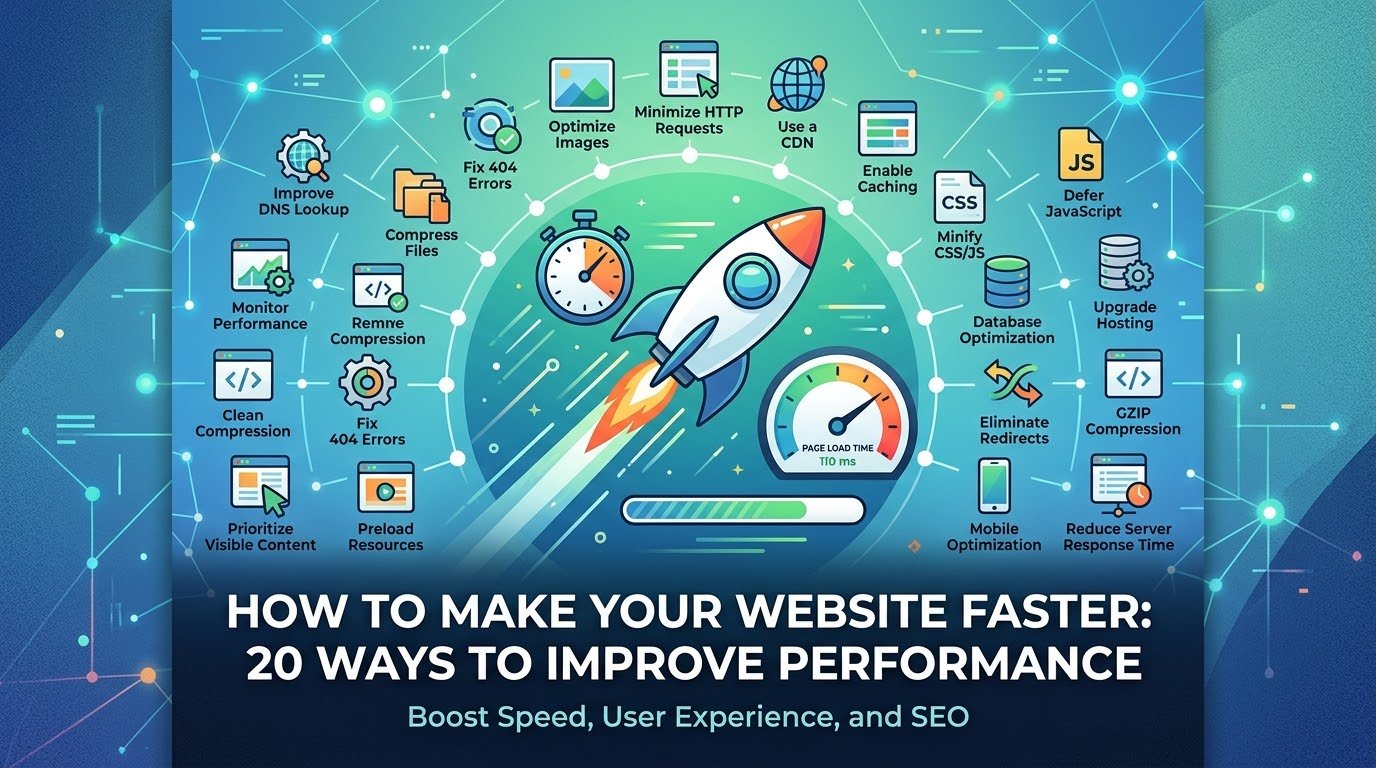
In this guide, we will explore 20 practical ways to improve website performance and explain why each one matters.
🚀 Why Website Speed Matters
Before optimizing your website, it is important to understand why speed matters.
A fast website can provide:
- ⚡ Better user experience
- 📱 Better mobile browsing
- 🔎 Improved search performance
- 💰 Higher conversion potential
- 📉 Lower bounce rates
- 🖥️ Better responsiveness
- 🌍 Better performance for users with slower connections
Imagine visiting an online store and waiting several seconds for every product page to appear.
You would probably become frustrated.
Now imagine a website where pages appear quickly and buttons respond immediately.
The second experience feels much better.
Website performance is therefore not simply a technical issue. It is part of the user experience.
🧠 What Is Website Performance?
Website performance describes how quickly and efficiently a website loads and responds to users.
It includes several different things.
For example:
- How quickly the first content appears
- How quickly the main content becomes visible
- How quickly the page becomes interactive
- How stable the layout is while loading
- How quickly users can interact with buttons and forms
A website can technically load in a reasonable amount of time but still feel slow if important content appears late or elements constantly move around.
📊 Important Website Performance Metrics
Several metrics are useful when measuring performance.
⏱️ Largest Contentful Paint
Largest Contentful Paint, or LCP, measures how quickly the main content becomes visible.
A lower LCP generally means users can see the primary content sooner.
🖱️ Interaction to Next Paint
INP, or Interaction to Next Paint, measures how responsive a page is to user interactions.
A website may load quickly but still feel slow if clicking buttons causes long delays.
📐 Cumulative Layout Shift
CLS measures unexpected movement of page elements.
For example, imagine clicking a button just as an advertisement loads and suddenly pushes the button somewhere else.
That is a poor experience.
🌐 Page Load Time
Traditional page-load measurements can still be useful, but modern performance analysis looks at multiple metrics rather than relying on one number.
🖼️ 1. Optimize Your Images
Images are often among the largest files on a webpage.
A high-resolution photograph can be several megabytes.
If a page contains many large images, visitors may have to download a huge amount of data.
What You Can Do
Before uploading images:
- Resize them
- Compress them
- Remove unnecessary metadata
- Choose an appropriate format
- Avoid uploading images much larger than their display size
For example, if an image is displayed at 800 pixels wide, there is usually little reason to upload a massive version several times larger unless you specifically need it.
🧩 2. Use Modern Image Formats
Modern image formats can reduce file sizes while maintaining good visual quality.
Common formats include:
- WebP
- AVIF
- JPEG
- PNG
- SVG
For photographs, modern compressed formats can often provide substantial savings.
PNG is particularly useful for certain graphics requiring transparency, while SVG works especially well for many simple vector graphics such as logos and icons.
💡 Tip
Do not automatically convert every image to one format.
Choose the format according to the type of image and browser compatibility requirements.
💤 3. Use Lazy Loading
Lazy loading means delaying the loading of certain resources until they are needed.
For example, if a page contains 20 images but visitors initially see only five, the browser does not necessarily need to load every image immediately.
Images further down the page can load as the user approaches them.
This can reduce the initial amount of data that needs to be downloaded.
Best Uses
Lazy loading can be particularly useful for:
- Blog images
- Gallery images
- Product images
- Long pages
- Embedded media
However, important above-the-fold content should generally be loaded promptly rather than unnecessarily delayed.
🗜️ 4. Compress CSS and JavaScript
Websites often use CSS and JavaScript files.
These files can contain unnecessary whitespace, comments, formatting, and other characters that are useful for developers but unnecessary for the browser.
Minification removes much of this unnecessary information.
For example:
Before:
Readable code with spaces and formatting.
After:
Compressed code optimized for delivery.
Minification can reduce file sizes and improve loading efficiency.
Many modern WordPress optimization tools can handle this automatically.
🧹 5. Remove Unnecessary Plugins
If you use WordPress, plugins can provide useful features.
However, installing too many plugins can increase complexity and sometimes add unnecessary scripts, styles, database queries, or other processing.
Before installing a plugin, ask:
Do I really need this feature?
If the answer is no, don’t install it.
Review Your Plugins
Regularly check:
- Plugins you no longer use
- Duplicate functionality
- Outdated plugins
- Plugins that add unnecessary features
- Plugins that significantly affect performance
A smaller, well-maintained plugin set can make website management easier.
🧠 6. Enable Website Caching
Caching is one of the most effective ways to improve website performance.
Without caching, a server may need to generate a webpage from scratch every time someone visits it.
Caching allows frequently requested content to be stored temporarily so it can be delivered faster.
Types of Caching
There are several types:
- Browser caching
- Page caching
- Object caching
- Server-side caching
- CDN caching
For WordPress websites, caching plugins and hosting-level caching can significantly improve performance when configured correctly.
🌐 7. Use a Content Delivery Network
A Content Delivery Network, or CDN, uses servers distributed across different geographic locations.
Instead of every visitor receiving static resources from one central server, content can sometimes be served from a location closer to the visitor.
This can reduce latency and improve loading times for users who are geographically far from your main server.
CDNs are especially useful for websites with visitors from multiple countries.
🏢 8. Choose Quality Web Hosting
Your hosting provider plays an important role in website performance.
Cheap hosting may appear attractive initially, but very low-cost plans can sometimes provide limited resources or slower server performance.
When choosing hosting, consider:
- Server resources
- Storage technology
- CPU allocation
- Memory
- Network performance
- Server location
- Caching support
- Backup systems
- Scalability
For a growing website, reliable hosting can be a worthwhile investment.
🗄️ 9. Optimize Your Database
WordPress and other dynamic websites often use databases to store information.
Over time, databases can accumulate unnecessary data such as:
- Old revisions
- Spam comments
- Deleted content
- Temporary data
- Unused metadata
Database optimization can help keep the system organized.
However, database changes should be performed carefully.
⚠️ Always Back Up First
Before performing major database cleanup, create a backup.
A mistake in database management can cause serious problems.
🔤 10. Optimize Web Fonts
Fonts can affect performance more than many website owners realize.
A website may load several font files, weights, and styles.
For example:
- Regular
- Medium
- Semi-bold
- Bold
- Italic
If your website only needs two font weights, loading six is unnecessary.
Improve Font Performance
You can:
- Reduce the number of font families
- Load only required weights
- Use modern font formats
- Host fonts efficiently
- Use system fonts where appropriate
Good typography does not require dozens of font files.
🧱 11. Reduce Unnecessary Website Elements
A website can become slower when it contains too many features.
Examples include:
- Excessive animations
- Large sliders
- Auto-playing videos
- Multiple popups
- Decorative scripts
- Unnecessary widgets
- Huge background images
Ask yourself:
Does this element improve the user’s experience?
If not, consider removing it.
A clean website is often easier to navigate and faster to load.
📱 12. Optimize for Mobile Devices
A large percentage of internet traffic comes from smartphones.
A website that performs well on a desktop computer may still perform poorly on mobile.
Mobile devices may have:
- Smaller screens
- Less processing power
- Limited battery
- Slower connections
- Less available memory
Mobile Optimization Checklist
Make sure:
- Text is readable
- Buttons are easy to tap
- Images scale correctly
- Menus work properly
- Content does not overflow
- Pages load efficiently
Mobile performance should be treated as a primary requirement rather than an optional improvement.
🧩 13. Avoid Excessive Third-Party Scripts
Third-party scripts are common.
Examples include:
- Analytics
- Advertising
- Social media widgets
- Chat systems
- Tracking tools
- Embedded content
Each external service can add additional network requests and processing.
You should therefore review your third-party scripts regularly.
If a script is not providing meaningful value, consider removing it.
🎥 14. Optimize Videos
Videos can be extremely large.
Uploading a huge video directly to your website can significantly increase bandwidth usage and loading times.
Instead, consider:
- Compressing videos
- Using appropriate resolutions
- Lazy-loading video embeds
- Avoiding unnecessary autoplay
- Using specialized video platforms where appropriate
A large video should not automatically load when the user has not even reached it.
📦 15. Reduce HTTP Requests
Every resource a browser needs to retrieve can involve network activity.
A page might request:
- CSS files
- JavaScript
- Images
- Fonts
- Analytics scripts
- Other resources
Reducing unnecessary requests can improve performance.
This does not mean you should obsessively combine every file regardless of the architecture.
Modern websites can use sophisticated loading strategies.
The goal is to avoid unnecessary resources and requests.
🔗 16. Improve Internal Linking
Internal links do not directly make a server faster, but they improve website navigation and content discovery.
A good internal linking structure helps visitors move between related articles.
For example, a technology website might connect:
AI article → Generative AI article → Future Technology article
This can improve the overall user experience and help search engines understand relationships between pages.
A well-organized website is often easier to navigate and maintain.
⚡ 17. Use Preloading Carefully
Some resources are especially important for the initial page.
Browsers can sometimes be instructed to prioritize certain resources.
For example, a critical font or image may be preloaded.
However, preloading too many resources can have the opposite effect.
Instead of making everything high priority, identify the resources that genuinely matter for the initial rendering.
Remember:
Priority should be strategic, not excessive.
🧭 18. Reduce Redirects
Redirects can add additional steps before a browser reaches the final destination.
For example:
Page A → Redirect → Page B → Redirect → Page C
This creates unnecessary work.
Whenever possible, link directly to the final URL.
Also make sure your website’s internal links use the correct versions of pages.
🔐 19. Keep Your Website Updated
Performance is not only about speed.
Keeping your website updated can improve:
- Security
- Compatibility
- Stability
- Performance
- Reliability
For WordPress websites, this includes maintaining:
- WordPress core
- Themes
- Plugins
- PHP versions where supported
- Server software
⚠️ Backup Before Major Updates
Always maintain reliable backups.
Updates can occasionally create compatibility problems, particularly when multiple plugins or themes interact.
📊 20. Test Your Website Regularly
You cannot improve what you do not measure.
Use website performance testing tools to understand where your website is slow.
Useful categories of tools include:
- Performance auditing tools
- Browser developer tools
- Web analytics
- Server monitoring
- Real-user monitoring
Testing can reveal problems such as:
- Large images
- Slow server response
- Render-blocking resources
- Excessive JavaScript
- Layout shifts
- Third-party scripts
Do not focus only on achieving a perfect score.
Focus on improving the actual experience for your visitors.
🧪 How to Test Your Website Speed
One useful approach is to test your website from different conditions.
Test 1: Desktop
Check how quickly your website performs on a typical desktop connection.
Test 2: Mobile
Test using a mobile-oriented performance profile.
Test 3: Different Pages
Do not test only your homepage.
Also test:
- Blog posts
- Category pages
- Contact pages
- Product pages
- Search pages
A homepage can be fast while individual articles are slow because they contain large images or additional scripts.
📈 Why Your Website Can Become Slow Over Time
A website may be fast when it launches and become slower later.
Why?
Because websites evolve.
You may add:
- More images
- More plugins
- More advertisements
- More tracking tools
- More pages
- More videos
- More features
Each addition can affect performance.
That is why website optimization should be an ongoing process.
🛠️ A Simple Website Speed Optimization Checklist
If you are a beginner, don’t try to fix everything at once.
Start with these steps:
Step 1 — Optimize images
Compress and resize large images.
Step 2 — Enable caching
Use appropriate page and browser caching.
Step 3 — Review plugins
Remove plugins you do not need.
Step 4 — Improve hosting
Make sure your hosting provides enough resources.
Step 5 — Use a CDN
Consider a CDN if you have visitors in different regions.
Step 6 — Optimize mobile
Test your website on smartphones.
Step 7 — Reduce scripts
Remove unnecessary third-party services.
Step 8 — Test performance
Measure before and after making changes.
🧠 Website Speed vs Website Design
Some website owners believe that a beautiful website must be complicated.
That’s not necessarily true.
A good website can be:
- Beautiful
- Modern
- Interactive
- Fast
The key is balance.
A page with dozens of animations and massive images might look impressive in a design demonstration but provide a poor experience for real users.
The best websites usually prioritize clarity, usability, and performance.
🌍 Website Speed and Different Countries
Website performance can vary depending on where visitors are located.
Suppose your server is located in one country while most of your visitors are thousands of kilometers away.
The physical distance can contribute to network latency.
This is one reason CDNs and geographically distributed infrastructure are useful.
For websites targeting international audiences, global performance should be considered during hosting and infrastructure decisions.
💰 Does a Faster Website Increase Revenue?
A faster website does not automatically guarantee higher revenue.
However, performance can influence the user journey.
For an online store, a slow page can create friction during:
- Product browsing
- Searching
- Adding products to a cart
- Checkout
- Payment
For a blog, faster pages can make it easier for readers to browse more content.
For a business website, a smooth experience may make visitors more likely to explore services or contact the company.
Performance is therefore one part of a larger conversion strategy.
🔎 Website Performance and SEO
Search engines consider various signals when evaluating websites.
Performance and user experience can contribute to how a website is evaluated, particularly through metrics related to page experience.
But speed is not the only factor.
A website also needs:
- Useful content
- Good structure
- Search-friendly pages
- Relevant information
- Mobile usability
- Security
- Strong user experience
Do not sacrifice useful content just to chase a perfect performance score.
The goal should be a fast, useful website.
⚠️ Common Website Speed Mistakes
Mistake 1: Uploading huge images
A 5 MB image is unnecessary for many website placements.
Mistake 2: Installing too many plugins
More plugins can mean more complexity.
Mistake 3: Using excessive animations
Animations can increase processing requirements.
Mistake 4: Ignoring mobile users
A website that works only on powerful computers is not optimized for today’s web.
Mistake 5: Adding too many tracking tools
Third-party scripts can accumulate quickly.
Mistake 6: Never testing after changes
Adding a new theme, plugin, or feature can affect performance.
Mistake 7: Chasing scores instead of users
A performance score is useful, but the real goal is a better experience.
🚀 A Practical Performance Strategy for a New Website
If you are building a technology blog or similar website, a simple strategy can work very well.
Before publishing
- Choose quality hosting
- Select a lightweight theme
- Optimize images
- Configure caching
- Enable HTTPS
- Keep plugins to a minimum
During content creation
- Compress images
- Avoid unnecessary videos
- Use proper headings
- Keep pages organized
- Avoid excessive widgets
Every month
- Review plugins
- Check website speed
- Update software
- Review large media files
- Check for broken links
- Monitor performance
This creates a simple maintenance routine.
❓ Frequently Asked Questions
What is the fastest way to make a website faster?
For many websites, optimizing large images, enabling caching, reducing unnecessary scripts, and improving hosting can provide noticeable improvements.
Does more hosting storage make a website faster?
Not necessarily. Storage capacity and performance are different things. CPU, memory, server software, storage technology, network performance, and caching can all influence website speed.
Are WordPress plugins bad for performance?
No. Plugins are not automatically bad. The issue is unnecessary or poorly optimized plugins. A carefully selected set of quality plugins can work well.
Should I use a CDN?
A CDN can be especially useful when your visitors are distributed across different geographic regions or when your website serves many static resources.
How many plugins should a WordPress website have?
There is no universal maximum. Ten well-maintained plugins can be better than three poorly designed ones. Focus on functionality, quality, maintenance, and actual performance impact.
Can images really make a website slow?
Yes. Large images can represent a significant portion of a webpage’s total size. Proper resizing and compression can make a major difference.
Is website speed important for SEO?
Yes, performance and page experience are relevant to modern websites. However, search visibility depends on many factors, including content quality, relevance, technical SEO, and authority.
How often should I test my website?
Testing after major changes is a good practice. You can also monitor performance regularly to identify problems before they become serious.
📝 Conclusion
A fast website is not created by one magical setting.
It is the result of many small improvements working together.
Optimizing images, using caching, choosing reliable hosting, reducing unnecessary scripts, improving mobile performance, using a CDN, optimizing fonts, maintaining your database, and regularly testing your website can all contribute to a better experience.
The most important principle is simple:
Don’t make visitors wait for things they don’t need.
Load important content quickly. Keep pages simple. Optimize your media. Remove unnecessary features. Use modern infrastructure where it provides real benefits.
And most importantly, remember that website performance is an ongoing process.
As your website grows, new content, plugins, images, advertisements, and features can affect performance.
By monitoring your website and making improvements regularly, you can keep it fast, responsive, and enjoyable for visitors.
A faster website is not just technically better—it creates a better experience for the people who visit it.