
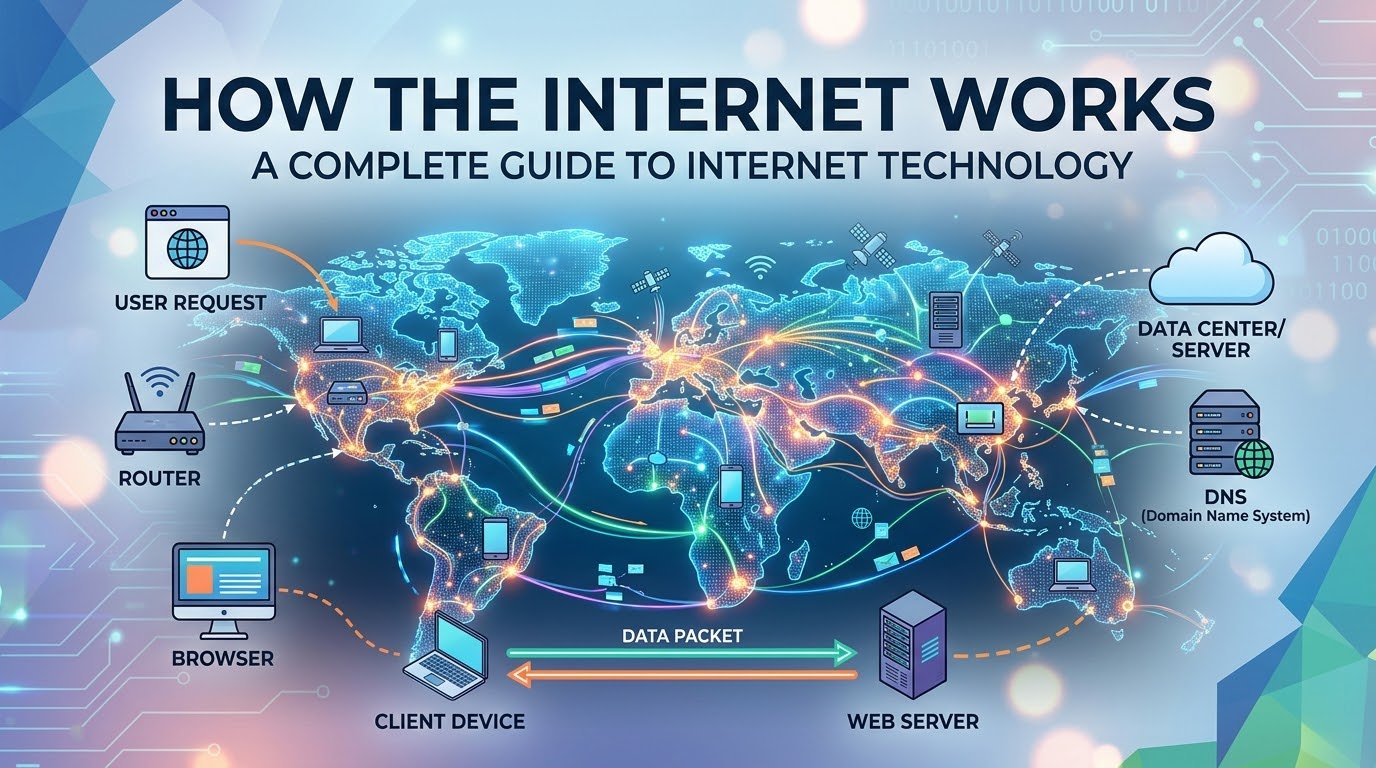
The internet has become one of the most important technologies in modern life.
Every time you open a website, send a WhatsApp message, watch a YouTube video, make an online payment, upload a photo, or search for information, you are using the internet.
But have you ever wondered what actually happens when you type a website address into your browser and press Enter?
How does your request travel from your computer or smartphone to a server located somewhere else in the world? How does the server know what you want? How does the requested webpage return to your device in just a few seconds?
The internet may feel simple from a user’s perspective, but behind the scenes it is a massive global system involving computers, servers, cables, routers, data centers, satellites, wireless networks, and communication protocols.
In this complete guide, we will explain how the internet works, from the basic concepts to the technologies that make the modern web possible.
🌍 What Is the Internet?
The internet is a global network of interconnected computer networks.
The word “internet” essentially describes networks connected together.
Instead of being one giant computer, the internet consists of billions of devices and networks communicating with each other.
These include:
- 💻 Computers
- 📱 Smartphones
- 🖥️ Servers
- 📡 Routers
- 🌐 Websites
- 🏢 Data centers
- 📷 IoT devices
- 🛰️ Satellites
- 📡 Wireless networks
When these systems communicate using standardized networking technologies and protocols, they form the internet.
A Simple Example
Suppose you open a technology website.
Your device sends a request through your local network.
That request travels through several networks and routers until it reaches the server hosting the website.
The server processes the request and sends information back.
Your browser then uses that information to display the webpage.
All of this can happen in seconds.
🏠 What Is the Difference Between the Internet and the Web?
People often use “internet” and “web” as if they mean the same thing, but they are different.
Internet
The internet is the underlying global network infrastructure.
It supports many different services, including:
- Websites
- Video calls
- Online gaming
- File transfers
- Messaging
- Cloud services
World Wide Web
The World Wide Web is one service that operates on top of the internet.
Websites use technologies such as:
- HTML
- CSS
- JavaScript
- HTTP
- HTTPS
So, the web is part of the internet, not the entire internet.
💻 What Happens When You Open a Website?
Let’s walk through a simple example.
Imagine you type:
example.com
into your browser.
Several things happen.
Step 1: Your Browser Reads the Address
Your browser needs to determine where the website is located.
The domain name is:
example.com
But computers communicate using IP addresses.
So the browser needs to discover the IP address associated with that domain.
This is where DNS comes in.
📖 What Is DNS?
DNS stands for Domain Name System.
You can think of DNS as the internet’s directory.
Humans prefer names such as:
google.com
Computers communicate using addresses such as:
an IP address
DNS connects the two.
Without DNS
Instead of typing a memorable website name, users would have to remember numerical IP addresses.
DNS makes the internet much easier to use.
🔍 How DNS Resolution Works
When you request a website, your device may check several places before contacting a DNS server.
For example:
- Browser cache
- Operating system cache
- Local network or router
- DNS resolver
- Authoritative DNS server
The system eventually obtains the IP address associated with the domain.
Your browser can then communicate with the destination server.
📍 What Is an IP Address?
An IP address identifies a device or network interface on a network.
There are two major versions.
IPv4
IPv4 uses 32-bit addresses.
An example looks like:
192.168.1.10
IPv4 has a limited number of possible addresses.
Because the internet grew dramatically, IPv4 addresses became increasingly scarce.
IPv6
IPv6 uses 128-bit addresses.
An example might look like:
2001:db8::1
IPv6 provides an enormous number of possible addresses.
The transition from IPv4 to IPv6 is ongoing, and both technologies continue to coexist across the internet.
📦 What Is a Data Packet?
One of the most important concepts in networking is the packet.
When you send information across the internet, the data is generally divided into smaller pieces called packets.
Imagine you want to send a large book.
Instead of putting the entire book into one giant package, you divide it into smaller packages.
Each package can travel through the network and eventually be reassembled at the destination.
Internet communication works in a somewhat similar way.
A packet can contain information such as:
- Source information
- Destination information
- Data
- Control information
Packets may travel through multiple network devices before reaching their destination.
🚦 What Is a Router?
A router is a networking device that helps move data between networks.
You probably have a router in your home.
Your phone, laptop, television, and other devices may connect to it.
But the router can also communicate with your internet service provider.
Large internet networks use sophisticated routers capable of handling enormous amounts of traffic.
🛣️ Think of Routers Like Roads
A useful analogy is a road system.
- Your device = your house
- Local router = neighborhood road
- ISP network = highway
- Internet backbone = major international highway
- Destination server = another building
Routers help determine where packets should go next.
🏢 What Is an ISP?
ISP stands for Internet Service Provider.
An ISP provides customers with access to the internet.
Depending on the country and provider, an internet connection might use:
- Fiber
- Cable
- DSL
- Mobile networks
- Fixed wireless
- Satellite
- Other technologies
Your ISP connects your local network to larger networks that make up the global internet.
🧩 What Is a Network?
A network is a group of connected devices that can communicate with each other.
Your home network is a simple example.
You might have:
- A router
- Smartphones
- Laptops
- Smart TVs
- Printers
- Security cameras
Your home network can connect to your ISP, which connects to larger networks.
Organizations such as universities, companies, governments, and data centers operate much larger networks.
🌎 The Internet Is a Network of Networks
There is no single organization controlling every physical connection on the internet.
Instead, thousands of networks connect and exchange traffic.
These can include:
- Internet service providers
- Cloud providers
- Telecommunications companies
- Universities
- Businesses
- Content delivery networks
- Internet exchange facilities
These networks cooperate through common technologies and routing systems.
This decentralized structure is one of the reasons the internet can operate on such a massive scale.
🛣️ What Is the Internet Backbone?
The internet backbone consists of high-capacity networks that carry enormous amounts of data between regions and countries.
These networks are connected using high-speed infrastructure.
Much of the world’s international internet traffic travels through fiber-optic cables.
Some people imagine the internet as something that exists entirely in the air or in satellites.
In reality, a huge amount of internet traffic travels through physical cables.
🌊 Undersea Internet Cables
One of the most fascinating parts of internet infrastructure is the network of submarine cables.
These cables run across oceans and connect continents.
They carry enormous amounts of international data.
For example, when someone in Asia accesses a server in Europe or North America, the data may travel through one or more submarine fiber-optic cable systems.
Why Fiber Optics?
Fiber-optic cables transmit information using light.
They offer:
- Very high capacity
- Long-distance communication
- Low signal loss
- High speeds
This makes fiber extremely important to global internet infrastructure.
💡 How Does Fiber-Optic Internet Work?
Fiber-optic cables contain extremely thin strands of glass or similar material.
Information is transmitted as pulses of light.
A simplified process looks like this:
Digital data → electrical/optical conversion → light pulses → fiber → optical/electrical conversion → digital data
Because light can travel extremely quickly and many channels can share the same fiber, fiber networks can carry huge amounts of information.
📡 How Does Wi-Fi Work?
Wi-Fi allows devices to communicate with a local network wirelessly.
Your router broadcasts radio signals.
Your phone or laptop uses a compatible wireless adapter to communicate with the router.
The router then connects your device to the wider network.
It’s important to understand that Wi-Fi and the internet are not the same thing.
Wi-Fi is a local wireless networking technology.
You can have Wi-Fi without internet access.
For example, two devices could communicate over a local Wi-Fi network even if the internet connection is unavailable.
📱 How Does Mobile Internet Work?
Smartphones can access the internet through cellular networks.
Mobile networks use infrastructure such as:
- Cell towers
- Radio spectrum
- Network equipment
- Fiber connections
- Core network systems
Technologies have evolved from:
2G → 3G → 4G → 5G
Each generation introduced improvements in speed, latency, capacity, or other capabilities.
Future generations may introduce additional improvements.
⚡ What Is Latency?
Latency is the time it takes for data to travel between two points.
It is usually measured in milliseconds.
Lower latency means a faster response.
For example, low latency is particularly important for:
- Online gaming
- Video calls
- Remote control
- Financial systems
- Autonomous systems
- Interactive applications
Speed and latency are related but not identical.
A connection can have high bandwidth but still experience noticeable latency.
🚀 What Is Bandwidth?
Bandwidth describes the amount of data that can be transmitted over a connection during a certain period.
It is commonly measured in:
- Mbps
- Gbps
For example, a connection capable of 500 Mbps has a higher theoretical bandwidth than one capable of 50 Mbps.
Higher bandwidth is useful when downloading large files, streaming high-resolution video, or supporting many devices.
🔐 What Is HTTPS?
HTTPS stands for Hypertext Transfer Protocol Secure.
It is the secure version of HTTP.
HTTPS uses encryption to protect communication between your browser and a website.
When you see a padlock symbol in your browser, it generally means the connection is protected using HTTPS.
Encryption helps protect data from being easily read while traveling between your device and the website.
This is especially important when dealing with:
- Passwords
- Banking
- Online shopping
- Personal information
- Login sessions
🔒 What Is SSL/TLS?
Modern HTTPS security relies on TLS, or Transport Layer Security.
You may still hear the term SSL, but modern systems generally use TLS rather than the older SSL protocols.
TLS helps provide:
- Encryption
- Authentication
- Data integrity
When you connect securely to a website, your browser and the server establish cryptographic protections for the communication.
🌐 What Is HTTP?
HTTP stands for Hypertext Transfer Protocol.
It is one of the fundamental protocols used by the web.
When your browser requests a webpage, it sends an HTTP request to a web server.
The server responds with an HTTP response.
A simplified exchange looks like:
Browser → HTTP request → Server
Server → HTTP response → Browser
The response can contain HTML, images, scripts, stylesheets, and other resources.
🖥️ What Is a Web Server?
A web server is a computer system that delivers websites and web content to users.
When you visit a website, your browser communicates with a server.
The server may:
- Receive the request
- Process it
- Access databases
- Run application code
- Find requested files
- Generate a response
- Send the response back
Modern websites can involve many servers working together rather than one physical machine.
🗄️ What Is a Database?
Many websites need to store information.
Examples include:
- User accounts
- Blog posts
- Product information
- Comments
- Orders
- Settings
This information can be stored in databases.
Common database technologies include:
- MySQL
- PostgreSQL
- Microsoft SQL Server
- MongoDB
- Redis
When you log into a website, the application may communicate with a database to retrieve information associated with your account.
⚙️ How a Dynamic Website Works
A simple webpage might consist primarily of static files.
A dynamic website is more complex.
Suppose you open an online store.
Your browser sends a request.
The web application may:
- Receive your request
- Determine what page you want
- Query a database
- Check product information
- Apply business logic
- Generate the response
- Send the response to your browser
Your browser then displays the result.
This process can happen extremely quickly.
🎨 What Are HTML, CSS and JavaScript?
These three technologies form the foundation of modern web pages.
HTML
HTML defines the structure of a webpage.
It can describe:
- Headings
- Paragraphs
- Images
- Links
- Forms
- Lists
CSS
CSS controls appearance.
It can define:
- Colors
- Fonts
- Spacing
- Layout
- Animations
- Responsive design
JavaScript
JavaScript adds behavior and interactivity.
It can power:
- Menus
- Forms
- Interactive dashboards
- Web applications
- Animations
- Dynamic content
Together, these technologies allow browsers to create rich websites.
🧭 What Is a URL?
URL stands for Uniform Resource Locator.
It identifies a resource on the web.
A URL can contain several components.
For example:
Here:
https= protocolexample.com= domain/articles/technology= path
URLs help browsers identify which resource they should request.
🍪 What Are Cookies?
Cookies are small pieces of data stored by websites in a user’s browser.
They can be used for purposes such as:
- Maintaining login sessions
- Remembering preferences
- Shopping carts
- Website functionality
- Analytics
Cookies can be useful, but they also raise privacy concerns.
Modern browsers provide various controls for managing cookies and site data.
🧠 What Is a CDN?
CDN stands for Content Delivery Network.
A CDN consists of distributed servers that can deliver content from locations closer to users.
For example, if a website’s main server is located far away from you, downloading every image directly from that server could increase latency.
A CDN can store cached copies of certain content at locations around the world.
This can improve performance.
CDNs Are Useful For:
- Images
- Videos
- CSS
- JavaScript
- Downloads
- Web pages
Popular CDN technology is an important part of modern websites.
☁️ How Cloud Computing Connects to the Internet
Cloud computing provides computing resources through networks.
Cloud services can provide:
- Servers
- Storage
- Databases
- Networking
- AI services
- Software
- Analytics
Instead of maintaining physical servers yourself, you can rent computing resources from a cloud provider.
This has changed how websites and applications are built.
🔄 What Happens When You Send an Email?
Sending an email involves several systems.
A simplified process is:
Your device → Email service → Mail servers → Recipient’s mail server → Recipient’s device
Email uses specialized protocols and systems to transfer and retrieve messages.
Common technologies include:
- SMTP
- IMAP
- POP
You don’t need to understand these protocols to send email, but they work behind the scenes whenever you communicate electronically.
🎥 How Does Video Streaming Work?
When you watch an online video, the entire video does not necessarily have to be downloaded before playback begins.
Streaming systems send data progressively.
Video services may also use:
- Content delivery networks
- Compression
- Adaptive bitrate streaming
- Caching
- Distributed servers
Adaptive streaming can adjust video quality depending on the available network conditions.
For example, if your connection becomes slower, the system may temporarily reduce video quality to avoid interruption.
🎮 How Does Online Gaming Work?
Online games rely on communication between your device and game servers.
Your device sends information such as:
- Player movement
- Actions
- Game commands
The server processes game state and sends relevant information back.
Latency is particularly important in competitive games.
A delay of even a few milliseconds can sometimes affect gameplay.
🔢 What Are Network Protocols?
Protocols are agreed rules that allow devices to communicate.
Some important internet-related protocols include:
HTTP/HTTPS
Used by the web.
DNS
Translates domain names into IP addresses.
TCP
Provides reliable data transmission for many applications.
IP
Handles addressing and routing of packets.
UDP
Provides a faster, connectionless transport method used by certain applications where low latency is important.
Without common protocols, devices built by different companies would have difficulty communicating reliably.
🧱 What Is TCP/IP?
TCP/IP is a collection of networking protocols that forms the foundation of much of the internet.
It includes multiple layers and protocols.
A simplified model involves:
- Application
- Transport
- Internet
- Network access
Each layer has different responsibilities.
This layered approach makes networking easier to design and maintain.
🔄 What Is Routing?
Routing determines how packets travel from one network to another.
Routers examine information associated with packets and use routing information to determine the next destination.
The exact path a packet takes can vary.
For example:
Device → Router A → ISP → Network B → Network C → Server
Another request might take a different route.
This flexibility helps the internet operate despite changing network conditions.
🧮 What Is an Autonomous System?
Large organizations and network operators often manage groups of IP networks under a common routing policy.
These are called Autonomous Systems.
Examples can include:
- Internet service providers
- Large cloud providers
- Universities
- Major technology companies
Autonomous Systems exchange routing information with one another using systems such as BGP.
📡 What Is BGP?
BGP stands for Border Gateway Protocol.
It is one of the most important protocols used for routing traffic between large networks on the internet.
BGP helps networks advertise which IP address ranges they can reach.
In simplified terms, it helps different networks determine how traffic can travel between them.
Because the internet consists of many independent networks, systems like BGP are essential.
🏢 What Happens Inside a Data Center?
A data center is a facility containing computing and networking equipment.
A modern data center may contain:
- Thousands of servers
- Network switches
- Routers
- Storage systems
- Backup systems
- Cooling equipment
- Power infrastructure
- Security systems
Websites and applications can run across many servers in multiple data centers.
This helps provide scalability and resilience.
⚖️ What Is Load Balancing?
If millions of users access a website, one server may not be enough.
A load balancer can distribute incoming requests across multiple servers.
For example:
Users → Load Balancer → Server 1
** → Server 2**
** → Server 3**
This allows websites to handle larger amounts of traffic.
🛡️ How Is the Internet Protected?
The internet faces many threats.
Security technologies help protect networks and users.
Common security mechanisms include:
- Firewalls
- Encryption
- Multi-factor authentication
- Intrusion detection
- Secure software
- Access controls
- Anti-malware systems
Users also play an important role in security.
Strong passwords, software updates, and careful handling of suspicious messages can reduce risk.
⚠️ Common Internet Security Threats
Internet users may encounter:
🎣 Phishing
Attackers attempt to trick users into revealing information.
🦠 Malware
Malicious software can damage systems or steal information.
🔑 Password attacks
Attackers may attempt to guess, steal, or reuse passwords.
💳 Online fraud
Criminals may use fake websites or messages to obtain money or information.
🌐 Website vulnerabilities
Poorly secured websites can expose data or allow unauthorized access.
Cybersecurity is therefore an essential part of modern internet use.
🔮 The Future of Internet Technology
The internet continues to evolve.
Future developments may include:
- Faster connectivity
- More widespread fiber networks
- Advanced mobile networks
- Edge computing
- AI-powered networking
- More connected devices
- Improved cybersecurity
- Satellite internet
- More immersive online experiences
Artificial intelligence may also increasingly help network operators identify problems, optimize traffic, and detect security threats.
🌟 Why Understanding the Internet Matters
You don’t need to become a network engineer to understand internet technology.
Basic knowledge can help you:
- Troubleshoot connection problems
- Understand online security
- Build better websites
- Protect your data
- Choose internet services
- Understand cloud computing
- Learn programming
- Make better technology decisions
The internet is no longer just a tool for accessing websites.
It is infrastructure supporting modern communication, business, entertainment, education, finance, healthcare, transportation, and countless other activities.
❓ Frequently Asked Questions
What exactly is the internet?
The internet is a global system of interconnected networks that allows computers, servers, phones, and other devices to communicate using standardized technologies and protocols.
How does a website load?
Your browser resolves the website’s domain through DNS, connects to the appropriate server, sends a request, receives a response, and then processes resources such as HTML, CSS, JavaScript, and images to display the webpage.
Does the internet use satellites?
Yes, satellites are used for some forms of internet connectivity, especially in locations where terrestrial infrastructure is difficult to deploy. However, a large amount of global internet traffic travels through terrestrial and submarine fiber-optic networks.
Is Wi-Fi the same as the internet?
No. Wi-Fi is a wireless networking technology that connects devices to a local network. That local network may then provide access to the internet.
What is an IP address?
An IP address is a numerical network address used to identify a network interface and help route traffic to the appropriate destination.
Why do websites use HTTPS?
HTTPS helps protect communication between a browser and website through encryption and authentication, making it much harder for third parties to read or alter the traffic in transit.
What is the difference between a server and a computer?
A server is a computer or computing system configured to provide services or resources to other devices. Modern servers can range from individual machines to large distributed systems.
Why can internet speed change?
Internet performance can vary because of network congestion, Wi-Fi conditions, distance, routing, server capacity, ISP infrastructure, and many other factors.
📝 Conclusion
The internet may appear simple when we use it, but it is actually an enormous and highly sophisticated global system.
When you open a website, your request can travel through your local Wi-Fi network, router, ISP, multiple network providers, fiber-optic links, routers, data centers, and servers before the requested information returns to your device.
Technologies such as DNS, IP, TCP, HTTP, HTTPS, BGP, fiber optics, Wi-Fi, mobile networks, cloud computing, and content delivery networks work together to make modern internet communication possible.
The most impressive part is that this process happens almost invisibly.
You simply enter a website address and press Enter.
Behind that simple action is a worldwide infrastructure connecting billions of devices.
As technologies such as AI, edge computing, advanced mobile networks, satellite connectivity, and the Internet of Things continue to develop, the internet will likely become even more deeply integrated into everyday life.
Understanding how the internet works gives us a better understanding of the technology-driven world around us.